 Paperpaws
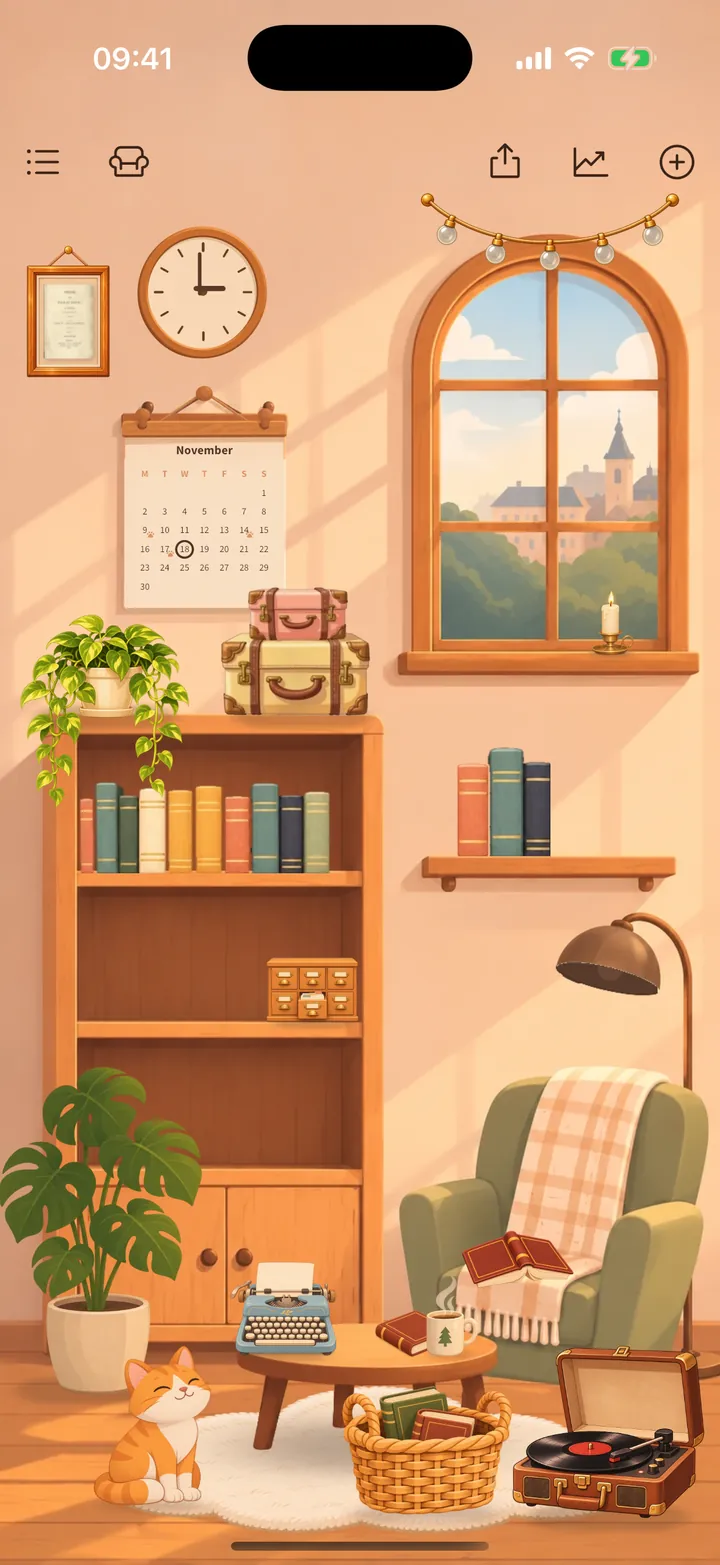
Your reading room
The room is the main screen. Its things open the parts of the app.
- Tap the bookcase for all your shelves, the armchair for the book you are reading and the basket for books to read next.
- Tap the wall clock to time your reading and the calendar for your stats.
- Tap the lamp to switch between day and evening. Pet the cat.
- The buttons at the top: your book list, Decorate, Share, Reading stats and + to add a book.
Missed the tour? Open the book list (top left), then the gear icon, then Show the room tour again.