 Paperpaws
Backups, Goodreads import and export
Your library lives on your phone. Keep a copy somewhere safe.
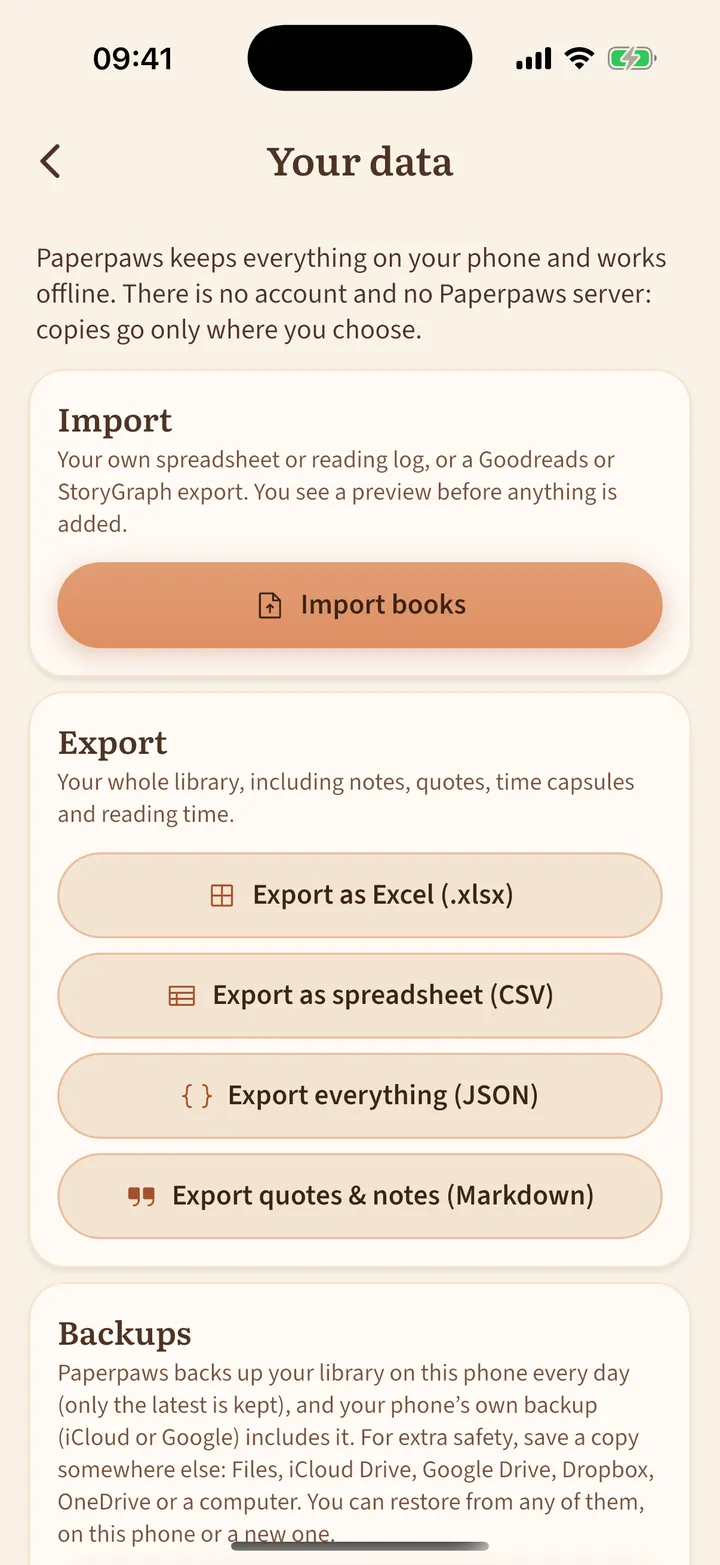
- Open the book list (top left), then the shield icon: Your data.
- Save backup to… puts a copy in Files, iCloud Drive, Google Drive or anywhere you choose. Send backup… shares it.
- On a new phone, tap Restore from a file and choose the backup.
- Import books reads the library export from Goodreads or The StoryGraph (a CSV file) or your own spreadsheet, and shows a preview before anything is added. Ratings, dates and shelves come along.
- Export to Excel, CSV or JSON, or your quotes and notes as Markdown, any time.
Paperpaws also keeps an automatic backup on the phone, and your phone backup (iCloud or Google) includes it.